A while ago, we looked at custom numbered list styling, but we can use the concept of CSS counters to turn any element into a counter.
So what exactly are these CSS counters? We can look at them as variables maintained by CSS. CSS rules can increase the values, which will track how many times they are used.
Using CSS counters
To use these counters, we must first create them with the counter-reset function. Wherever you call this reset from, it will reset the count for that counter (identified by its name).
Let’s set up a counter on our body and count for each p element
body{
    counter:reset:paragraph;
}
p::before{
    counter-increment:paragraph;
    content:'Paragraph' counter(paragraph) ':';
}
If we now create the following HTML:
<p>Some text</p>
<p>Some text</p>
<p>Some text</p>
<p>Some text</p>
<p>Some text</p>
We end up with this result.
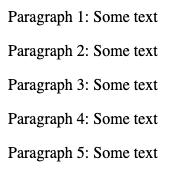 We can define these counters as we wish and reset them as we go.
Custom reset
Let’s take a look at custom resets. For instance, we have h2 elements as our main counter, and for each paragraph, inside of it, we want to showcase a different counter. For the demo, we’ll even combine the counter output.
Let’s take the following HTML structure.
<h2>First heading</h2>
<p>Some text</p>
<p>Some text</p>
<p>Some text</p>
<h2>Second heading</h2>
<p>Some text</p>
<p>Some text</p>
We could then easily create an index for each section like this.
body{
    counter-reset:heading;

}
h2{
    counter-reset:paragraph;
}
h2::before{
    counter-increment:heading;
    content:'Section ' counter(heading) ':';
}

p::before{
    counter-increment:paragraph;
    content:counter(heading) '.' counter(paragraph) ' ';
}
Result look like this
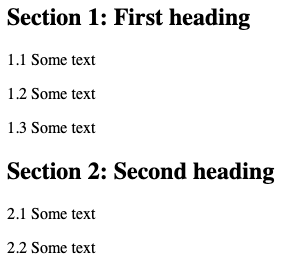
Pretty cool, right, It might be for sporadic use cases, but one day, you might need CSS counters.
Thank you for reading my blog